Your company has outgrown its IT setup when the people or provider supporting it spend most of their time reacting instead of planning. The clearest signs are repeat tickets, one person who holds every password, aging hardware nobody has scheduled to replace, and security questionnaires your team cannot answer with evidence.
Nothing has to be broken. The email works. The file server is up. Payroll ran on Friday.
But the IT person who was hired when you had 30 employees now supports 120. Their week is new laptops, password resets, and a printer that has been "fixed" four times. The patching calendar, the replacement plan, and the backup test keep sliding to next month.
You rarely outgrow your technology. You outgrow the model holding it together.
What Are the Signs Your Company Has Outgrown Its IT Setup?
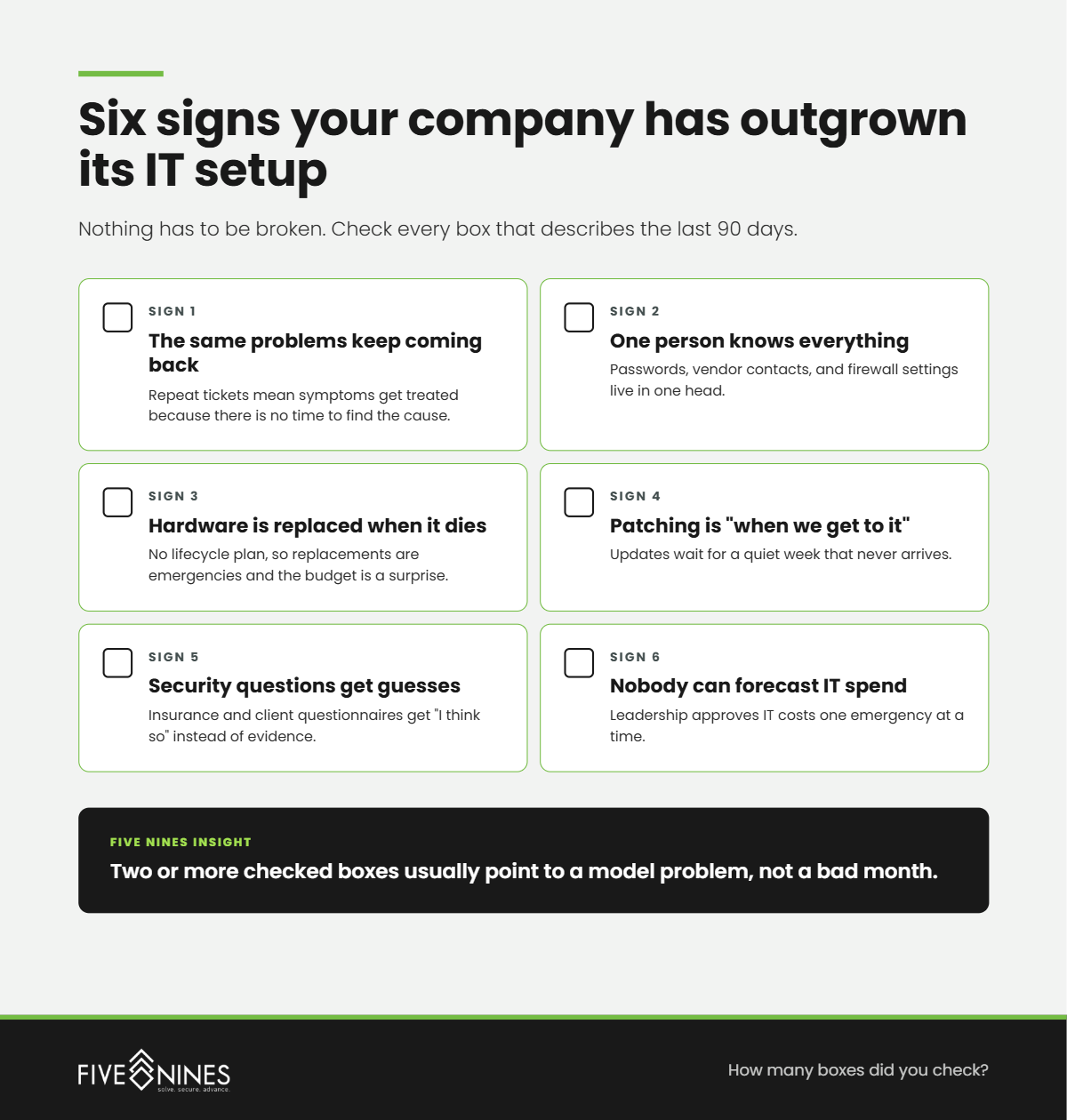
Short answer: The six most common signs are repeat tickets for the same problem, one person holding all IT knowledge, no scheduled hardware replacement, patching that runs late, security questionnaires answered with guesses, and leaders who cannot say what IT will cost next year. Any two of these together point to a model problem, not a bad week.
Each sign on its own can look like a one-off. Together they describe an IT function that has stopped looking ahead.
- The same problems keep coming back. The VPN drops for the same five people. The same workstation freezes every Tuesday. Repeat tickets mean someone is treating symptoms because there is no time to find the cause.
- One person knows everything. Passwords, vendor contacts, firewall settings, and the reason the server is configured "that way" live in one head. Nobody else could step in tomorrow.
- Hardware is replaced when it dies. There is no lifecycle plan, so replacements are emergencies and the budget is a surprise. Microsoft ended Windows 10 support on October 14, 2025, and support for Office 2021 ends in October 2026. A company without a replacement schedule finds out about dates like these late.
- Patching is "when we get to it." Updates wait for a quiet week that never arrives.
- Security questions get guesses, not evidence. A cyber insurance renewal or a client security questionnaire asks about MFA, backups, and monitoring, and the honest answer is "I think so."
- Nobody can forecast IT spend. Leadership approves IT costs one emergency at a time.
Is Outgrowing IT a Technology Problem or a Capacity Problem?
Short answer: For most growing companies with zero to three internal IT staff, it is a capacity problem. The tools usually still work. What runs out is the time and specialized skill needed to monitor, patch, plan, document, and secure them as headcount, locations, and compliance obligations grow.
Most leaders frame this as "our systems are getting old." Sometimes that is true. More often the systems are fine and the coverage is thin.
Here is where it breaks down. Every new employee adds a device, an account, and a set of permissions. Every new location adds a network. Every new client contract adds a security requirement. The IT workload grows with the business. The IT team usually does not.
What is actually happening is a slow trade. Planning time gets spent on support time, one week at a time, until the planning stops entirely.
What Are the Stages of IT Maturity for a Growing Company?
Short answer: The Five Nines IT Growth Ceiling Model describes four stages: Reactive IT, Stretched IT, Managed IT, and Resilient IT. Most growing companies hit the ceiling between Stage 2 and Stage 3, when one person or a break/fix vendor can no longer keep up with the business.
The Five Nines IT Growth Ceiling Model
|
Stage |
What it looks like on the floor |
What triggers the move up |
|---|---|---|
|
1. Reactive IT |
Someone calls a vendor when something breaks. No monitoring, no patch schedule, no documentation. |
A breach scare, a failed backup, or an insurance questionnaire nobody can answer |
|
2. Stretched IT |
One internal IT person or a part-time vendor. Tickets get handled, but planning, patching, and documentation slide. Repeat problems are normal. |
The IT person is overloaded, gives notice, or headcount grows past what one person can cover |
|
3. Managed IT |
24/7 monitoring, scheduled patching, a lifecycle plan, and a help desk with defined response times. Problems get root-caused instead of re-fixed. |
Compliance obligations, new locations, or a board asking for security evidence |
|
4. Resilient IT |
Security operations, compliance evidence, tested recovery, and a strategic roadmap tied to business goals. IT shows up in planning meetings, not only in emergencies. |
Ongoing: reviewed quarterly against growth plans |
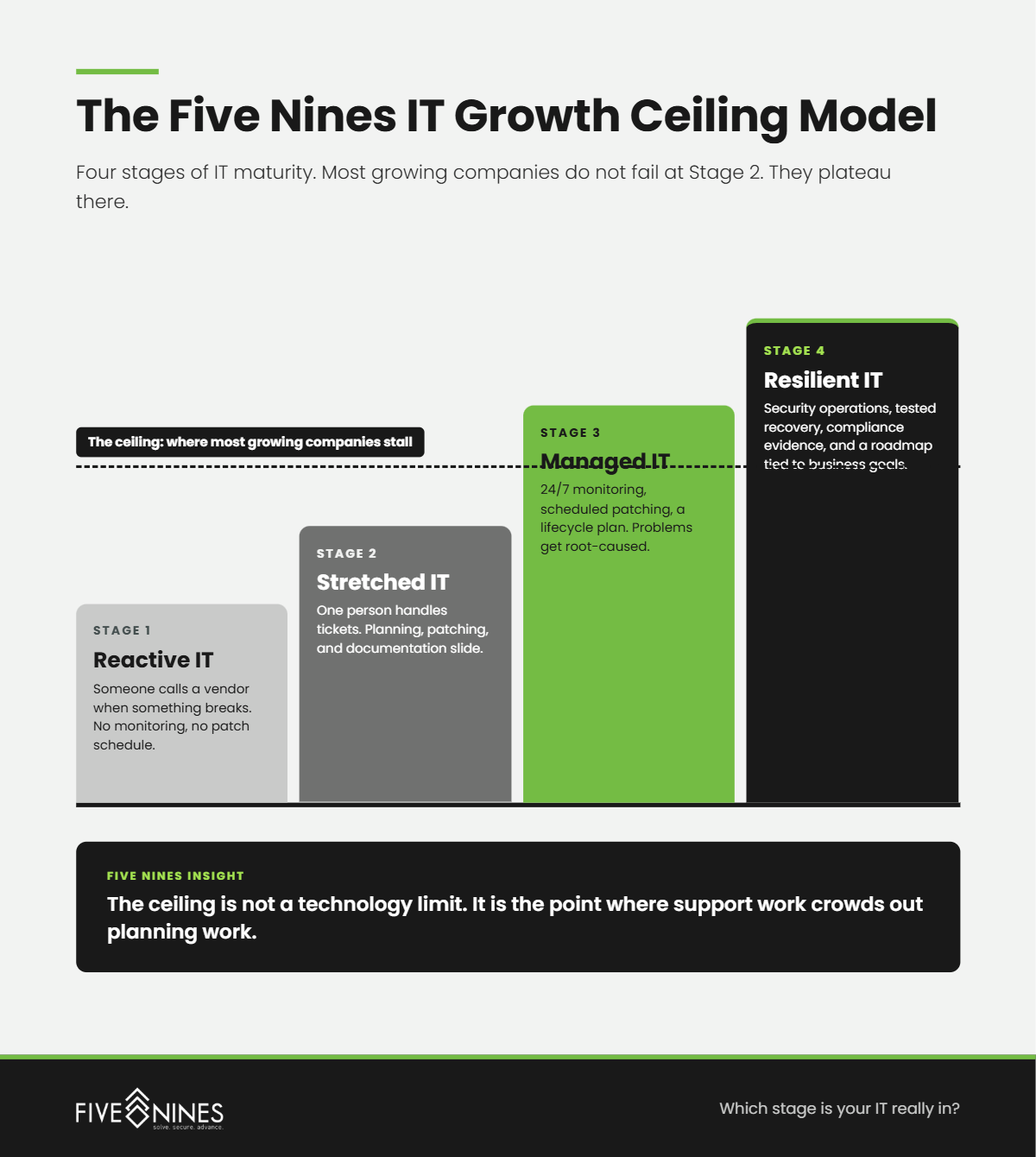
Most companies do not fail at Stage 2. They plateau there. The ceiling is not a crash. It is the point where every IT hour goes to keeping up.
Why Does a Single IT Person Become a Business Risk as You Grow?
Short answer: One IT person is a single point of failure. When that person is on vacation, out sick, or leaves the company, access to systems, vendor relationships, and undocumented configurations can leave with them. Five Nines Technology Group sees this risk grow fastest in companies that doubled headcount without adding IT coverage.
This is not a criticism of the IT person. Most of them are doing the work of three roles: help desk, systems administrator, and security lead.
The risk is structural. No one person can cover 24/7 monitoring, help desk, strategy, and compliance documentation at the same time. When they leave, the company inherits whatever was never written down.
The Key Person test is simple: if your IT person gave notice today, how many days would it take someone else to get into every system you run?
The Hidden Risk
The most dangerous IT setup is the one that works only because one person remembers how. It looks stable right up until that person is unavailable.
How Do Cyber Insurance and Compliance Expose an Outgrown IT Model?
Short answer: Insurance renewals and compliance audits ask for proof, not intentions. Questions about multifactor authentication, endpoint detection, backup testing, and incident response plans expose IT models that work day to day but cannot produce evidence. That gap often surfaces months before any technical failure does.
This is usually where leaders first see the ceiling. The systems run. The paperwork cannot be completed honestly.
The time cost of a slow response is measurable. IBM's Cost of a Data Breach Report 2026 found it took organizations an average of 241 days to identify and contain a breach. Breaches with a lifecycle over 200 days cost an average of $5.01 million, compared with $3.87 million for those resolved faster. Detection speed depends on someone watching. An overextended IT person cannot watch at 2 AM.
IBM's research also attributed 23% of breaches in its study to IT failure rather than a malicious attack, as reported by CyberScoop. Not every breach starts with an attacker. Some start with a system nobody had time to maintain.
What Leadership Misses
Growth adds IT work in small pieces: one laptop, one account, one vendor at a time. No single addition looks like a reason to change the model, which is exactly why the ceiling arrives unannounced.
Do You Need More IT Staff or a Different IT Model?
Short answer: It depends on what is missing. If the gap is help desk volume alone, another hire can work. If the gap includes 24/7 monitoring, security operations, compliance evidence, or strategic planning, a co-managed or fully managed model from a provider like Five Nines usually closes it faster than building those skills in house.
|
Option |
Best fit |
What it solves |
What it leaves open |
|---|---|---|---|
|
Hire another IT generalist |
Help desk volume is the main gap |
Faster ticket response during business hours |
After-hours monitoring, security operations, compliance, strategy |
|
Co-managed IT |
You have 1 to 10 internal IT staff worth keeping |
Adds 24/7 SOC monitoring, compliance support, and vCIO planning around your team |
Requires clear ownership lines between your team and the provider |
|
Fully managed IT |
You have 0 to 1 internal IT staff |
Help desk, monitoring, patching, lifecycle, security, and planning under one provider |
Requires trusting an outside partner with daily operations |
The real issue is not headcount. It is coverage. Count the hours your business needs covered, then count the skills. A single hire adds hours. It rarely adds a security operations center.
What Does Outgrowing IT Look Like in Healthcare and Banking?
Short answer: In healthcare, it shows up as slow EHR access, workarounds during downtime, and a HIPAA risk analysis nobody has updated. In banking, it shows up as examiner findings, vendor management gaps, and GLBA Safeguards Rule documentation that lags behind the systems it describes.
The pattern is the same. The symptoms change by industry.
A growing medical practice adds providers and a second location. Each new workstation must reach the EHR quickly, and each new user needs the right access on day one. When IT falls behind, clinicians feel it as waiting.
A community bank or credit union adds branches or a new digital service. Each one adds vendors, access controls, and documentation the next exam will request. When IT falls behind, the compliance officer feels it as findings.
What Does Five Nines Usually Find When a Company Has Outgrown Its IT?
Short answer: When Five Nines assesses a growing company's IT, the gaps are rarely exotic. They are undocumented systems, unscheduled replacements, untested backups, and admin access that grew without anyone reviewing it.
- Shared administrator credentials. Several people or vendors use the same admin login, so nobody can say who changed what.
- Backups that have never been restored. The backup job reports success, but no one has tested a full recovery.
- Former employees with active accounts. Offboarding happened in HR but not in every system.
- Devices past manufacturer support. Machines still run, but they no longer receive security updates.
- Documentation that lives in one inbox. Vendor contracts, license keys, and network diagrams sit in one person's email.
What Should You Ask an IT Provider Before You Switch Models?
Short answer: Ask how the provider handles after-hours incidents, who watches your environment overnight, how they document your systems, how they plan hardware replacement, and what compliance evidence they can produce. The answers show whether you are buying a help desk or a full IT function.
- Who is monitoring our environment at 2 AM, and are they your employees or a third party?
- What does your onboarding process document, and who owns that documentation if we leave?
- How do you plan and budget hardware replacement before devices reach end of support?
- What evidence can you produce for a cyber insurance renewal or a compliance audit?
- How do you work alongside our internal IT person instead of replacing them?
- How often will we review our IT roadmap with you, and who attends?
Which Stage Is Your IT Really In?
If your IT person is always busy but nothing on the roadmap moves, you are likely at the ceiling.
A Five Nines IT assessment identifies:
- Where your company sits on the IT Growth Ceiling Model
- Which systems depend on one person's knowledge
- Devices and software at or past end of support
- Gaps between your security practices and your insurance or compliance requirements
- Repeat problems that point to a root cause
Growth should add capability, not just more tickets.