How Do You Compare Managed IT Services for Healthcare Data Security?
To compare managed IT services for healthcare data security, look past the feature list and ask each provider to prove four things: who watches your...
You switch managed IT providers without disrupting patient care by treating the transition as a clinical continuity project, not a contract swap. That means collecting credentials and documentation before you give notice, overlapping both providers for a defined window, scheduling cutover around patient volume, and confirming in writing that the outgoing provider has returned or destroyed your patient data.
Picture the morning after a rushed handoff. The badge readers on the med room still work. The EHR still loads. Then the lab interface stops sending results, and nobody at the new provider knows it runs on a scheduled task the old technician built in 2019 and never documented.
The chart is online. The knowledge is gone.
That is the real risk in an IT transition. The systems rarely fail on day one. What fails is the undocumented knowledge about how those systems connect to clinical work. It matters more now than it did a year ago: the 2025 Verizon Data Breach Investigations Report found that third-party involvement in breaches doubled to 30%, which makes the moment you change vendors one of the most exposed moments your organization has.
Short answer: IT transitions put patient care at risk because clinical systems depend on undocumented connections: interfaces, scheduled jobs, printer mappings, and vendor remote access that only the outgoing provider understands. When that knowledge leaves before it is written down, failures show up at the bedside before they show up on a dashboard.
Most hospital leaders think the hard part of switching providers is the technology. It is not. The servers, firewalls, and endpoints are the easy part to inventory.
The hard part is everything in between. The HL7 interface that resends failed messages every 15 minutes. The label printer in pharmacy mapped by IP address. The imaging vendor's remote support tunnel that the old provider whitelisted three years ago. None of it appears on an invoice, and all of it touches patient care.
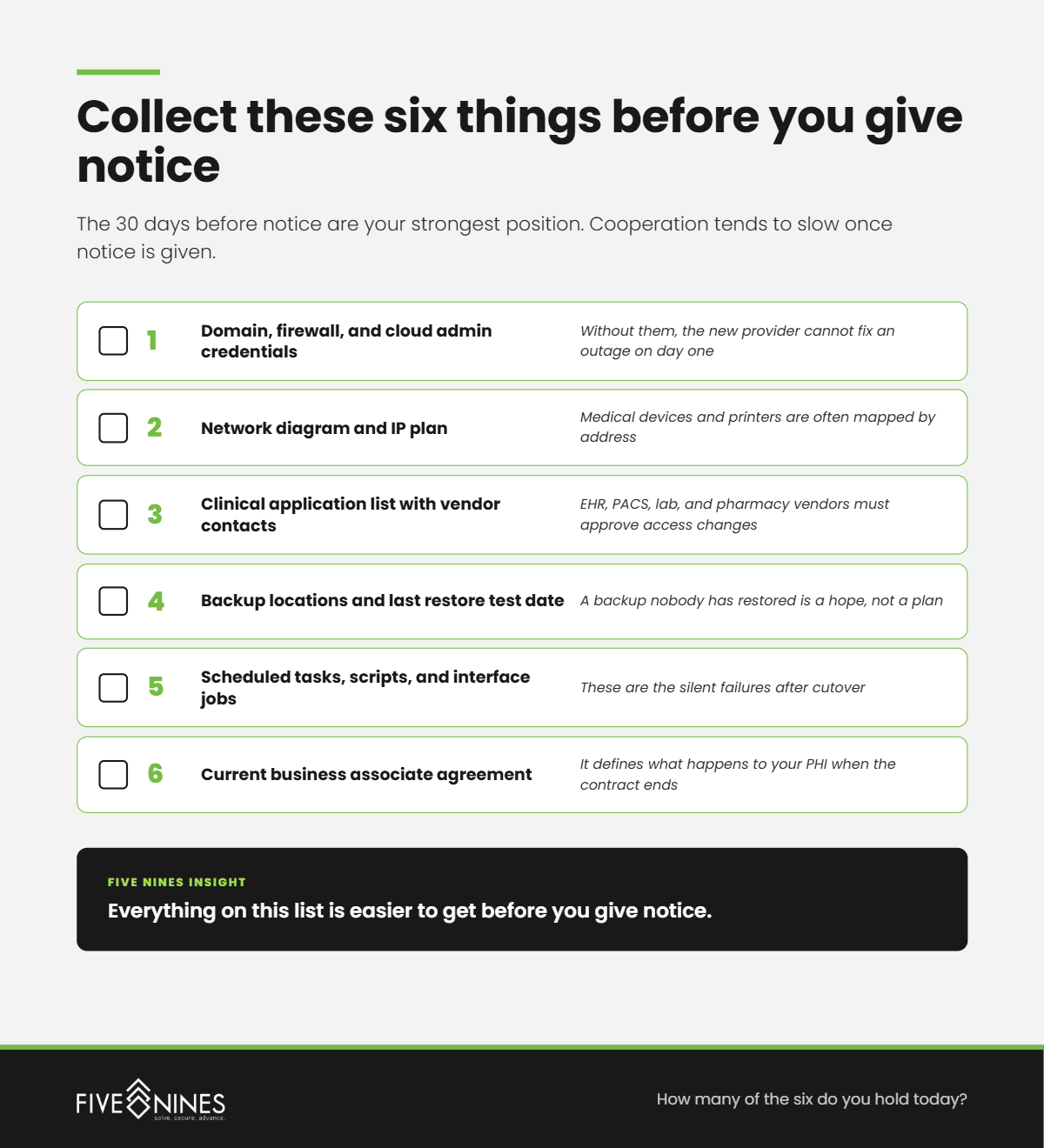
Short answer: Before giving notice, a hospital or clinic should hold every administrative credential, a current network diagram, a list of clinical applications and their vendor contacts, backup locations and the last successful restore test, and a copy of the business associate agreement with its termination terms.
The 30 days before notice are your strongest position. Once notice is given, cooperation tends to slow. Collect these while the relationship is still friendly.
|
What to collect |
Why it matters clinically |
|---|---|
|
Domain, firewall, and cloud admin credentials |
Without them, the new provider cannot fix an outage on day one |
|
Network diagram and IP plan |
Medical devices and printers are often mapped by address |
|
Clinical application list with vendor support contacts |
EHR, PACS, lab, and pharmacy vendors must approve access changes |
|
Backup locations and last restore test date |
A backup nobody has restored is a hope, not a plan |
|
Scheduled tasks, scripts, and interface jobs |
These are the silent failures after cutover |
|
Current business associate agreement |
It defines what happens to your PHI when the contract ends |
Short answer: A managed IT provider with access to PHI is a business associate under HIPAA. At contract termination, the business associate agreement must require the provider to return or destroy all PHI it still holds, or extend protections to anything it cannot feasibly return or destroy.
The U.S. Department of Health and Human Services Office for Civil Rights confirms this in FAQ 2082, citing 45 CFR 164.504(e). In practice, PHI lives in places leadership rarely thinks about: backup repositories, ticket attachments, remote monitoring logs, and technician laptops.
Ask the outgoing provider for a written certificate of return or destruction. If they say destruction is not feasible for some data, get that in writing too, along with how they will keep protecting it.
Short answer: Most healthcare IT transitions need a planned overlap window where both providers have defined roles, followed by a stabilization period after cutover. The exact length depends on site count, clinical applications, and documentation quality.
The mistake is letting the contract end date set the schedule. The schedule should come from the clinical calendar. Avoid flu season peaks, EHR upgrade weeks, and survey windows from The Joint Commission or state inspectors.
Plan cutover for the lowest-census window you can find, with on-site coverage at shift change. If the old contract ends before that window opens, negotiate a short extension. A month of overlap costs far less than a lost day of clinical operations.
Short answer: In week one, the incoming provider should revoke every credential the outgoing provider held, confirm backups by running a test restore, verify every clinical interface end to end, and put monitoring in place on the systems clinicians use most.
Revocation is the step most transitions rush. Shared admin accounts, VPN profiles, remote access agents, and vendor portal logins all need to be changed or removed. Every one left behind is an unmanaged door into your network, held by a company that no longer answers to you.
The Hidden Risk
The most dangerous login in your hospital may belong to a company you stopped paying six months ago.
Short answer: The Five Nines Clinical Continuity Handoff is a four-stage model Five Nines Technology Group uses to move hospitals and clinics between IT providers without interrupting care: Capture, Overlap, Cutover, and Close. Each stage has a clinical checkpoint that must pass before the next begins.
The Five Nines Clinical Continuity Handoff
|
Stage |
What happens |
What it looks like on the floor |
Checkpoint to move forward |
|---|---|---|---|
|
1. Capture |
Credentials, diagrams, interfaces, and the BAA are collected before notice |
Nothing changes for staff yet |
Every clinical application has a named owner and support contact |
|
2. Overlap |
Both providers hold defined roles; new monitoring runs alongside the old |
Tickets still go to one number, with no confusion at the nurses' station |
New provider has resolved real tickets on live systems |
|
3. Cutover |
Help desk, monitoring, and admin access move in a scheduled low-census window |
On-site support at shift change; downtime procedures on standby |
Every interface, printer, and device verified by a clinical user |
|
4. Close |
Old access revoked, PHI return or destruction certified, documentation finalized |
Staff notice faster answers, not a new set of problems |
Written certificate from outgoing provider; zero inherited logins |
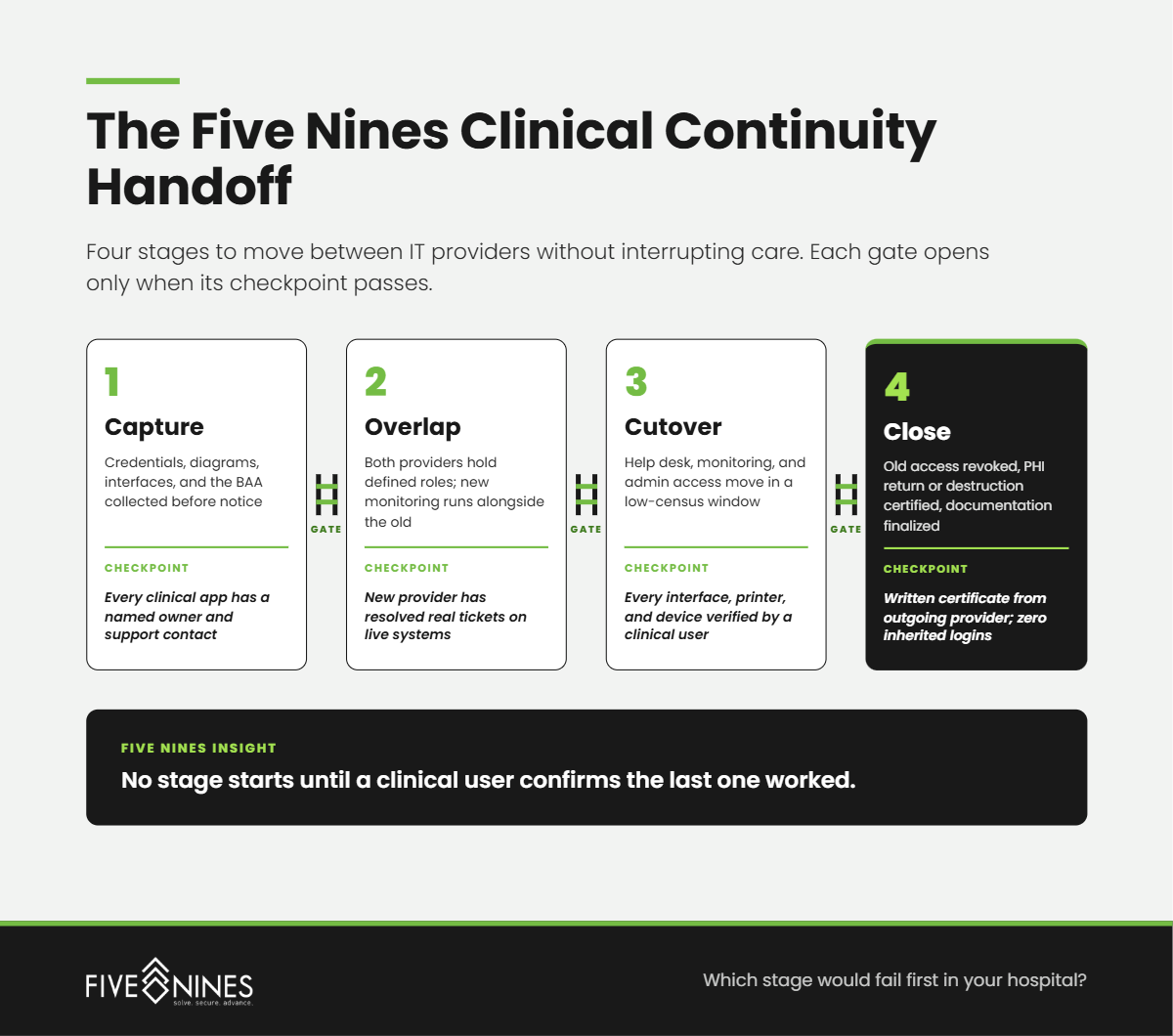
The model exists because each stage hides a different failure. Capture fails quietly when nobody asks about scheduled jobs. Overlap fails when both providers assume the other owns a ticket. Cutover fails on a Monday morning with full clinics. Close fails months later, when an old remote access agent becomes the way in.
What Leadership Misses
An IT transition is judged by clinicians on the first Monday after cutover. If the label printer in the lab fails that morning, the new provider has already lost the floor.
Short answer: When Five Nines assesses a hospital or clinic preparing to change providers, the gaps are rarely in hardware. They are in documentation, access, and ownership: knowledge that lived with the outgoing provider and never made it into a system the organization controls.
Short answer: Ask an incoming managed IT provider how they handle clinical cutover timing, overlap with the outgoing provider, credential revocation, backup verification, and HIPAA business associate obligations. Their answers should be specific and documented, not general reassurance.
If you are thinking about changing IT providers, you already suspect some of what keeps your clinical systems running is not written down anywhere you control.
A Five Nines IT Transition Readiness Assessment identifies:
You leave with a written transition plan mapped to the four stages of the Clinical Continuity Handoff, so you can decide when to give notice with the facts in hand.
The safest transition is the one where nothing your clinicians rely on leaves with the old provider.
To compare managed IT services for healthcare data security, look past the feature list and ask each provider to prove four things: who watches your...
.png)
Managed IT services for healthcare work best when one accountable team owns everything between a clinician and the chart: the workstation, the login,...
Your EHR going down during patient hours is not just an IT inconvenience. It delays diagnoses, pushes appointments into overtime, and erodes the...