A healthcare practice with little or no in-house IT is usually best served by fully managed IT services for healthcare practices: one provider that runs the help desk, security, backups, HIPAA evidence, and vendor calls as your IT department. The best fit is the provider that hands the fewest IT jobs back to your staff and works on your clinic's schedule.
Here is what the alternative looks like. At 7:40 on a Tuesday, the practice administrator resets a provider's EHR password. At 9:15, it is a call to the internet company because the phones keep dropping. At 11:30, it is a search through old email for the signed BAA the cyber insurance renewal wants. At 4:45, it is deciding whether the front desk PC restarts now or after close.
None of that is in the job description. All of it is in the job.
Your practice already has an IT department. It reports to the front desk.
HHS wrote its small-practice guidance for exactly this office. In its 2023 guidance written specifically for small healthcare organizations, the HHS 405(d) Program describes them as organizations that generally lack dedicated IT and security staff. It also notes that smaller ambulatory practices are targeted, and can suffer greater proportional damage, because they are less prepared to detect, respond, and recover.
Five Nines Technology Group, a managed IT provider headquartered in Lincoln, Nebraska, supports more than 100 healthcare organizations. Below is how we would compare your options, including us, by asking one question of each: which jobs does it hand back?
What Does Full IT Department Support Include for a Healthcare Practice?
Short answer: Full IT department support covers seven jobs: answering staff, maintaining devices, protecting accounts and data, recovering from failures, proving HIPAA safeguards, coordinating vendors, and planning the budget. The Five Nines Hand-Back Map shows who does each job when a practice has no IT staff, and what full support looks like instead.
Every practice needs all seven jobs done, with or without an IT department. The only choice is who does them.
The Five Nines Hand-Back Map
|
Job |
Who often does it with no IT staff |
What it looks like on the floor when it is handed back |
What full support looks like |
|---|---|---|---|
|
1. Answer |
The office manager |
A provider waits between patients while someone hunts for the EHR reset link |
A help desk staff can reach during every clinic hour |
|
2. Maintain |
Nobody, until something breaks |
An update restarts an exam room PC in the middle of a visit |
Patching and restarts scheduled around patients, replacements planned |
|
3. Protect |
Default settings |
The EHR requires multifactor sign-in. Email does not. |
MFA, endpoint detection, email filtering, and monitoring someone watches |
|
4. Recover |
A backup box in the closet |
Nobody knows whether last night's backup would restore |
Offline, offsite, encrypted backups with tested restores |
|
5. Prove |
The binder from the last audit |
The insurer asks for proof of MFA, and nobody can produce it |
Risk analysis support, access reviews, and records kept every month |
|
6. Coordinate |
The practice administrator, on hold |
Three vendors, three tickets, one frozen check-in station |
One call, and the provider runs the vendor tickets |
|
7. Plan |
A year-end surprise |
Four workstations fail in the same quarter with no budget line |
A yearly IT budget and replacement schedule |
Count the jobs that land on your staff today. That number is your hand-back score. Zero or one, and you have an IT department. Two or three, and you have a vendor. Four or more, and your practice administrator is the IT department.
The service list itself is the easy part. HHS lists ten different kinds of managed IT services in its small-practice guidance, from managed help desk to managed EHR support, and warns that offerings vary widely. The hard part is finding out which jobs a provider leaves on your desk.
Which IT Support Models Do Small Healthcare Practices Choose From?
Short answer: Small practices typically choose among five models: the accidental IT department (staff plus vendor help lines), a break/fix shop or solo contractor, EHR vendor support, a generalist managed service provider, and a healthcare-focused fully managed provider. Each one hands different work back to the practice.
Most comparisons line these models up by what they include. Compare them by what they hand back instead. Every job a model skips still has to be done, and in a practice with no IT staff it lands on the practice administrator.
|
Support model |
What it does well |
What it hands back to your practice |
Best fit |
|---|---|---|---|
|
The accidental IT department (office manager, vendor help lines, a tech-savvy relative) |
Costs nothing on the invoice |
All seven jobs |
No practice, for long |
|
Break/fix shop or solo IT contractor |
A familiar face, billed by the hour |
Monitoring, patching, after-hours security, HIPAA evidence, and deciding when to call |
A small office with a simple setup and a separate security plan |
|
EHR vendor support or hosted EHR |
Deep knowledge of the clinical application |
Everything around the EHR: workstations, Wi-Fi, email, phones, front-desk devices |
Always part of the plan, never the whole plan |
|
Generalist managed service provider |
Proactive monitoring at a flat fee |
Healthcare context: clinic-hour scheduling, EHR vendor calls, HIPAA evidence (varies by provider) |
Practices that confirm healthcare references first |
|
Healthcare-focused fully managed provider |
One accountable team for all seven jobs |
Decisions only owners make: budget, risk acceptance, policy sign-off |
Practices with no IT staff that want one number to call |
Typical scope by model, based on how each is commonly sold. Individual providers differ. Verify each cell in discovery.
The Hidden Risk
A practice with no IT staff still has an IT department. It is whoever gets called when the label printer jams, and that person was usually hired to run the front office.
The EHR row deserves a second look. Your EHR vendor is an essential partner, and when the problem lives inside the application, nobody fixes it faster. But a frozen check-in station is often a workstation, a card reader driver, or a sign-in problem. None of those belong to the EHR vendor, and the hold music proves it.
How Do You Know a Support Model Fits Your Clinic's Schedule?
Short answer: A support model fits your clinic when its help desk hours, maintenance windows, and on-site visits follow your patient schedule instead of a standard business day. Check your earliest appointment, your latest one, any weekend clinics, and when updates are allowed to restart machines.
Many practices do not run 8 to 5. Some open early for sick visits, some run evening or Saturday clinics, and many have one day each week that starts before the rest. A support window built for an office park leaves those patients uncovered.
Four checks tell you whether a provider fits:
- Help desk hours cover your first appointment and your last.
- Maintenance windows are set after close, not on a default timer.
- Weekend clinics reach a person, not a voicemail box.
- On-site visits are planned around patient flow, and emergencies carry a written on-site commitment.
Responsiveness starts with the schedule.
What Leadership Misses
Every job your IT provider hands back is still a job. It just moved to someone you hired to do something else.
What Makes IT Support HIPAA-Compliant for a Medical Practice?
Short answer: HIPAA-compliant IT services start with a signed business associate agreement, but the agreement is the floor. Alignment means your provider maintains the evidence HIPAA expects: risk analysis support, risk management, tested backups, and access controls. Outsourcing IT does not transfer your practice's compliance responsibility.
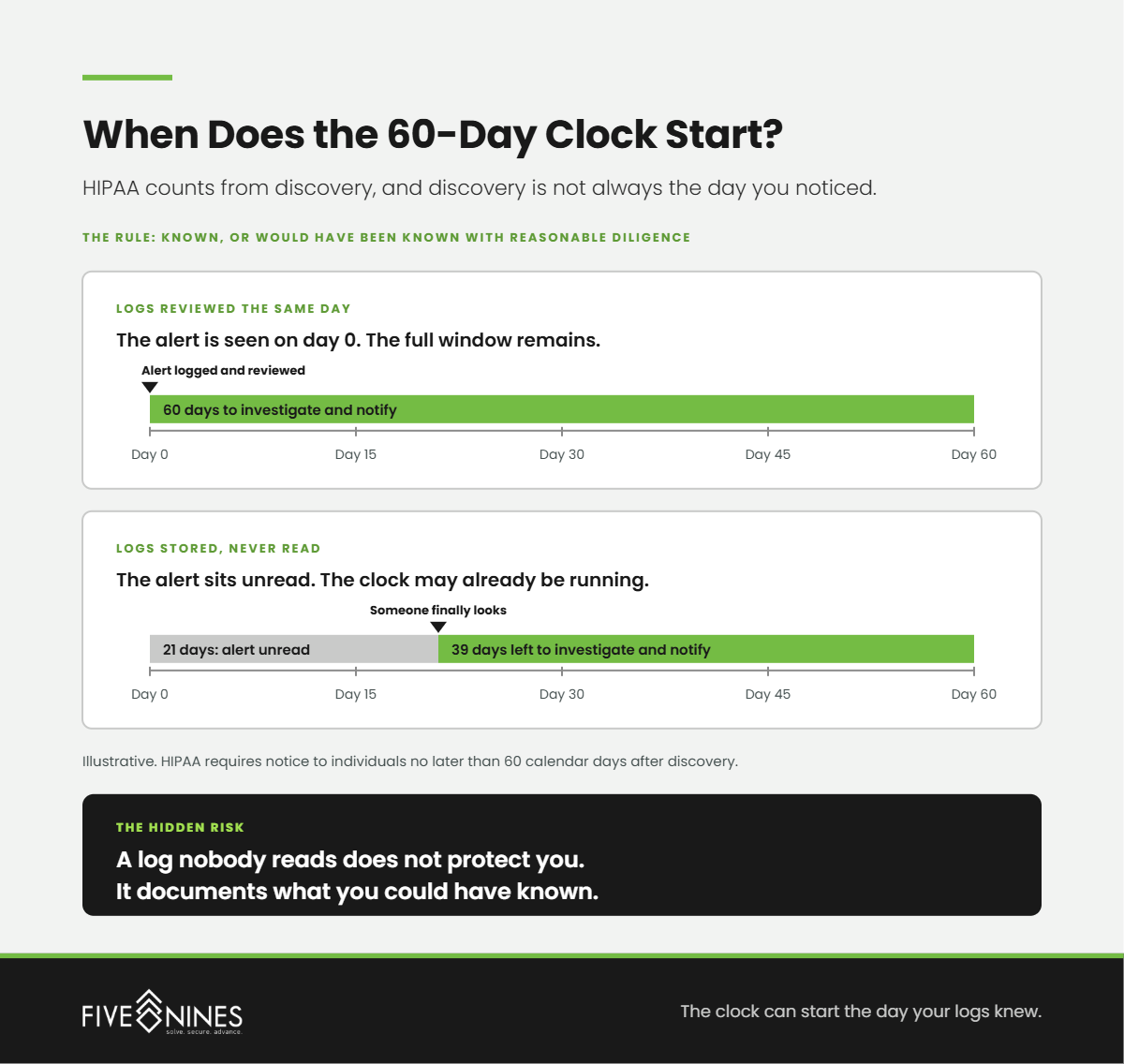
A provider that touches your patient data must sign a BAA. We cover which vendors qualify in our post on which IT vendors count as business associates. The signature tells you the provider accepted responsibility. It does not tell you the work is getting done.
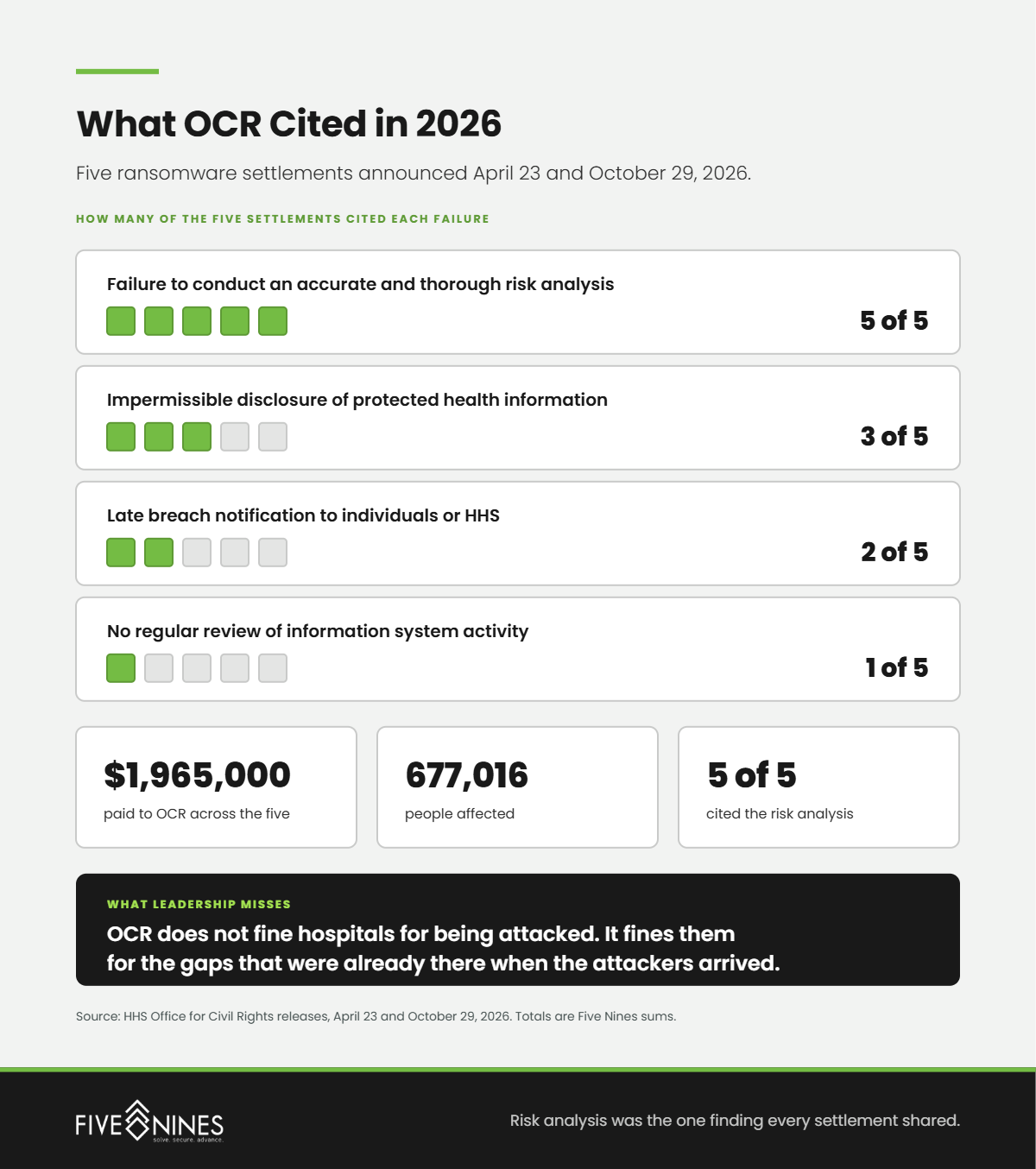
The work is what regulators look for. In April 2025, the HHS Office for Civil Rights settled with Comprehensive Neurology, a small New York neurology practice, after a ransomware attack encrypted its network and affected about 6,800 people. OCR's finding was not missing antivirus. It was the absence of an accurate and thorough risk analysis. The practice paid $25,000 and accepted two years of OCR monitoring, more than four years after it reported the breach.
The law also rewards evidence kept over time. A 2021 amendment to the HITECH Act, Public Law 116-321, requires HHS to consider whether a practice had recognized security practices in place for the previous 12 months when it weighs fines and audit outcomes. The 405(d) practices count. It is not a safe harbor, but it turns a provider's routine records into something your practice can show.
The current HIPAA Security Rule remains fully in force while its overhaul waits. Fierce Healthcare reported that federal regulators pushed final action on the proposed update to July 2027.
Five Nines Insight
If your IT provider cannot show you the evidence before an auditor asks, it will not appear after one does.
What Does Five Nines Usually Find When a Practice Has No IT Staff?
Short answer: Five Nines engineers most often find IT work that quietly moved onto clinical and front-office staff, and security that stops where the EHR vendor's protections end. These patterns show up in practices that already pay someone for IT support.
- The office manager is tier one. Password resets, printer jams, and vendor calls run through one person whose job description says nothing about IT.
- Front-desk devices nobody owns. Signature pads, card readers, label printers, and scanners sit between the EHR vendor and the IT provider, and each one points at the other.
- MFA on the EHR, not on email. The EHR vendor required multifactor sign-in, so the practice assumed it was covered everywhere. Email and remote access still run on passwords alone.
- The insurance questionnaire scramble. The cyber insurance renewal asks whether MFA, backups, and endpoint protection are in place, and nobody at the practice can answer with proof.
- Charting from the kitchen table. Providers finish notes at night on personal laptops that sit outside the practice's security controls.
What Should You Ask a Healthcare IT Support Provider Before You Sign?
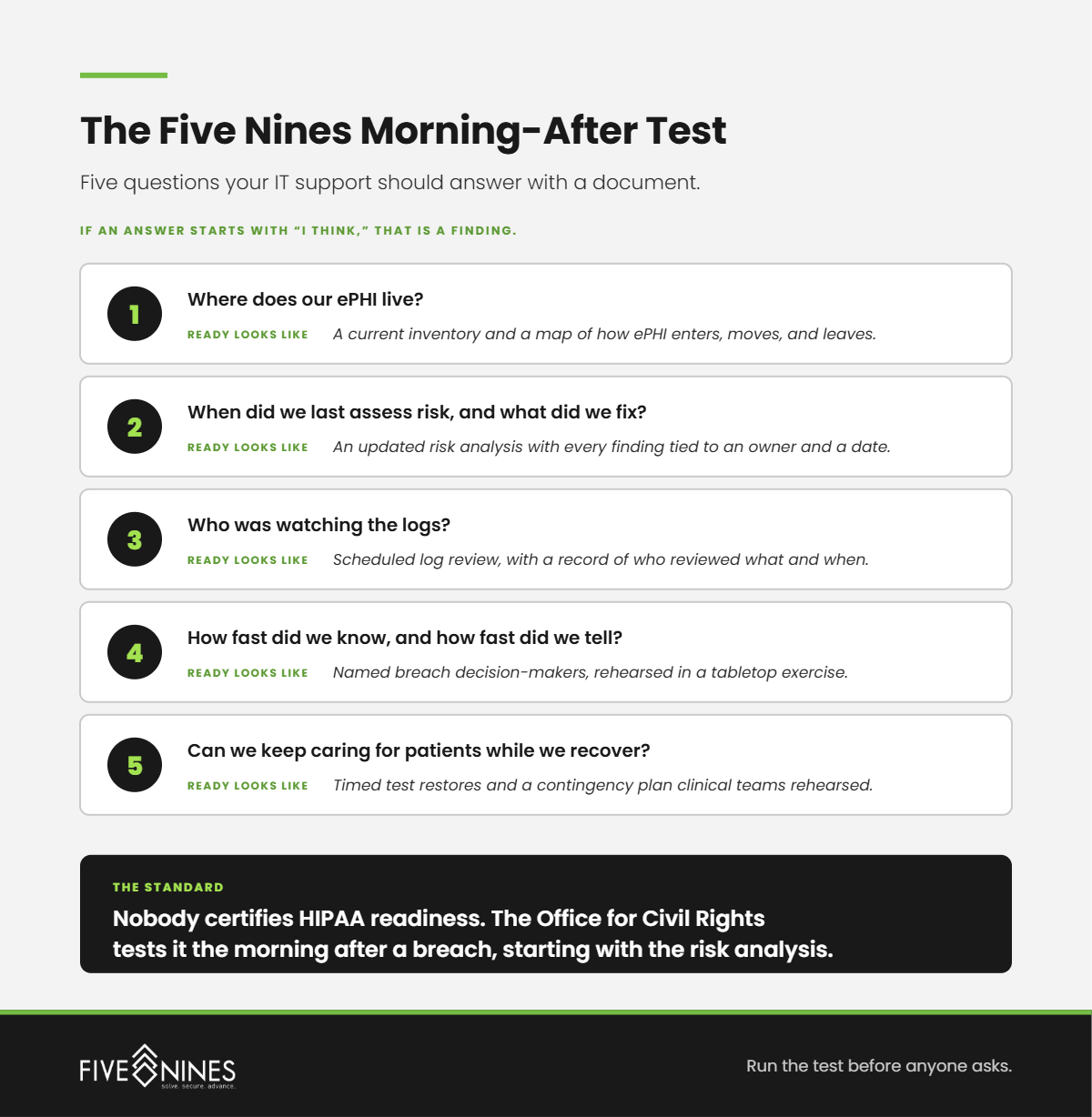
Short answer: Ask questions that expose what the provider hands back. The seven below map to the Hand-Back Map and to the HHS 405(d) vendor guidance for small practices. Any provider you shortlist should answer each one in writing.
- Which of the seven IT jobs will you own, and which will you hand back to us, in writing?
- Are your help desk hours and maintenance windows set to our clinic schedule, including early starts and weekend clinics?
- When a problem involves our EHR, phone, or internet vendor, who makes the call and owns the ticket?
- Will you sign a BAA, and which HIPAA evidence can you hand us on request?
- Do you keep offline, offsite, encrypted backups, and when did you last test a restore for a client like us?
- How often will we review security, risks, and the IT budget together?
- If we leave, how do you remove your access and return or destroy our data, and is that written into the contract?
Questions five through seven come straight from HHS. Its small-practice guidance tells practices to require offline, offsite, encrypted backups from any managed provider, to hold periodic business reviews, and to put data return and access removal in the contract before signing.
How Much of Your IT Is Your Practice Administrator Still Doing?
If the person who runs your front office also resets passwords, chases vendors, and keeps the BAA folder, your practice already has an IT department. It just has no job description.
A Five Nines Practice IT Assessment identifies:
- Which of the seven IT jobs currently land on your staff, and who is doing each one
- Which clinic-hour problems keep repeating, and how long staff waited on each
- Where support hours and maintenance windows collide with your patient schedule
- Which vendor handoffs leave your team on hold
- The HIPAA evidence an auditor would request that you cannot produce today
You leave with your practice's Hand-Back Map: all seven jobs, who does each one today, and every hand-back ranked by its effect on patients.
The right IT department for a small practice is the one your practice administrator never has to run.