Which Managed IT Services for Healthcare Support EHR and HIPAA?
Managed IT services for healthcare work best when one accountable team owns everything between a clinician and the chart: the workstation, the login,...
To standardize IT across a multi-location medical group, start by inventorying every site, then define one standard build and roll it out in a set order: identity and logins first, then network design, security tools, endpoints, backup, and a written playbook for every new clinic. The goal is simple. Any location should look, behave, and prove compliance exactly like every other location.
Picture the group that grew by acquisition. The flagship clinic has a managed firewall and single sign-on. The practice acquired last spring still runs on the previous owner's IT contractor, a shared front desk password taped under the keyboard, and a backup nobody has tested. The help desk ticket that takes ten minutes at one site takes two days at another, because nobody knows how that site was built.
Six clinics with six IT setups are not one medical group. They are six organizations sharing a logo.
That gap is getting more common. The American Medical Association's 2024 Physician Practice Benchmark Survey found the share of physicians in private practice fell from 60.1% in 2012 to 42.2% in 2024, as practices consolidate into larger, multi-site organizations. Every one of those combinations brings someone else's IT along with it.
Short answer: IT drifts because each location arrives with its own history. Acquired practices bring their own vendors, logins, and hardware, and growing groups often let each site solve problems locally. Without one documented standard, every quick fix becomes a permanent difference that the next technician has to rediscover.
Most groups never decide to run different IT at every site. It happens one reasonable choice at a time. A new clinic opens and the office manager orders laptops from a local store. An acquired practice keeps its old IT contractor "just through the transition." A provider needs a specific scanner, so that site gets its own driver and its own workaround.
None of these choices looks risky alone. Together they produce a group where the help desk cannot answer a simple question: what is actually running at the Kearney clinic right now?
This is a visibility problem, not a technology problem. You cannot support, secure, or budget for what you cannot see.
Short answer: Start with an inventory of every site, then standardize identity: one directory, one named login per person, and multi-factor authentication everywhere. Five Nines Technology Group puts identity first because shared logins and orphaned accounts create the most risk and block every later step, from audit trails to clean offboarding.
Most teams want to start with new computers because hardware is visible. It is the wrong first move. A brand new workstation signed in with a shared front desk password is still a liability.
Identity comes first for three reasons. It gives every action an owner, which HIPAA audit trails depend on. It makes onboarding and offboarding a single step instead of a six-site scavenger hunt. And it lets you enforce MFA and access rules from one place, so a staff member who moves between clinics carries the same permissions everywhere.
Before any of that, build the inventory. Every device, every firewall, every application, every vendor connection, site by site. The inventory becomes the map for everything that follows.
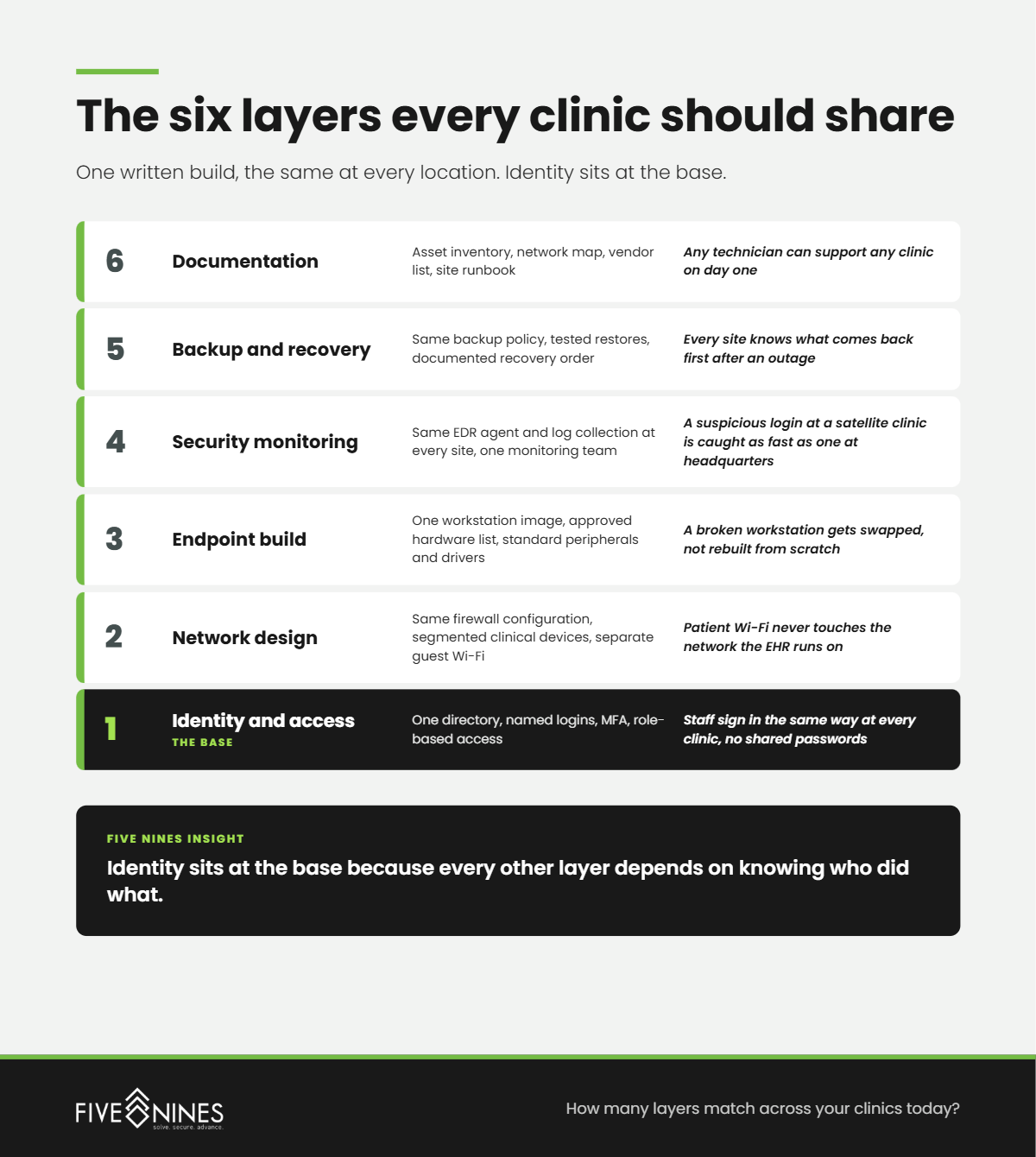
Short answer: A standardized build defines six layers that every location shares: identity and access, network design, endpoint configuration, security monitoring, backup and recovery, and documentation. Five Nines treats the build as a written specification, so a new or acquired clinic can be brought to standard by following a checklist rather than tribal knowledge.
|
Layer |
What gets standardized |
What it looks like at the front desk |
|---|---|---|
|
Identity and access |
One directory, named logins, MFA, role-based access |
Staff sign in the same way at every clinic, no shared passwords |
|
Network design |
Same firewall model and configuration, segmented networks for clinical devices, guest Wi-Fi separated |
Patient Wi-Fi never touches the network the EHR runs on |
|
Endpoint build |
One workstation image, approved hardware list, standard peripherals and drivers |
A broken workstation gets swapped, not rebuilt from scratch |
|
Security monitoring |
Same EDR agent and log collection at every site, one monitoring team |
A suspicious login at a satellite clinic is caught as fast as one at headquarters |
|
Backup and recovery |
Same backup policy, tested restores, documented recovery order |
Every site knows what comes back first after an outage |
|
Documentation |
Asset inventory, network map, vendor list, site runbook |
Any technician can support any clinic on day one |
The build does not need to be expensive to work. It needs to be the same everywhere and written down.
Short answer: Roll the standard out in phases, piloting at one clinic, scheduling changes outside patient hours, and tying hardware replacement to existing refresh cycles. Five Nines recommends identity and monitoring changes first because staff barely notice them, then network and endpoint work clinic by clinic once the pilot proves the runbook.
The fastest way to lose clinical staff support is to change everything at once on a Monday morning. Phasing protects patient care and gives you a working runbook before you touch the busiest locations.
Short answer: Give every new or acquired clinic a written day one to day 90 onboarding plan. Day one covers identity, MFA, and monitoring. The first 30 days cover the network and backups. By day 90 the clinic matches the standard build, and the previous IT vendor's access is fully removed.
Acquisitions are where standards break. The deal closes, operations are busy integrating schedules and billing, and IT gets pushed to "after things settle." Things rarely settle on their own.
The acquired practice's old contractor may still hold admin credentials. Its firewall may not have been updated in years. Its staff may have never used MFA. Until those gaps close, that clinic is the easiest door into the whole group.
The Hidden Risk
A medical group's security is set by its least standardized clinic, not its best one. Attackers do not target headquarters when a satellite office still has a shared login.
Short answer: Standardization makes HIPAA evidence repeatable. When every site runs the same controls, one risk analysis, one inventory, and one network map can describe the whole group. HHS has proposed Security Rule changes that would require a written technology asset inventory and network map, so groups standardizing now are building that evidence early.
Today, a group with six different setups needs six different answers when an auditor asks how ePHI moves through the network. Standardized groups answer once.
This matters more under the HIPAA Security Rule update HHS proposed in the Federal Register on January 6, 2025. According to the HHS fact sheet, it would require MFA, encryption, network segmentation, a technology asset inventory, and a network map. It is still a proposal. The HIPAA Journal reported in July 2026 that HHS moved its finalization target to July 2027. The direction is clear either way: documented, consistent controls at every location.
The cost of getting it wrong is also clear. IBM's Cost of a Data Breach Report 2026 put the average healthcare breach at $6.64 million, the highest of any industry studied.
What Leadership Misses
Shared IT support is not the same as standardized IT. One help desk answering calls from six differently built clinics is still solving six versions of every problem.
Short answer: Five Nines Technology Group uses the One Group Standard to place multi-location medical groups in one of four stages, from a Collection of Clinics where every site runs its own IT, to a Provable Group where every location matches one build and can produce compliance evidence on demand.
The Five Nines One Group Standard
|
Stage |
How IT is run |
What it looks like on the floor |
What triggers the next move |
|---|---|---|---|
|
1. Collection of Clinics |
Each site has its own vendors, logins, and hardware |
Staff call different people for help depending on which clinic they are in |
An acquisition, a failed audit question, or a breach at a peer |
|
2. Shared Help Desk |
One support team, but every site is still built differently |
Tickets get answered, but the same problem gets solved six different ways |
Support costs climb and fixes do not carry across sites |
|
3. Standard Build |
One identity system, one network design, one workstation image |
A provider can work at any clinic and everything behaves the same |
Leadership asks for proof, not just consistency |
|
4. Provable Group |
Inventory, network map, and monitoring cover every site and stay current |
When an auditor or insurer asks, the group answers once, with evidence |
Each new location joins through a written onboarding playbook |
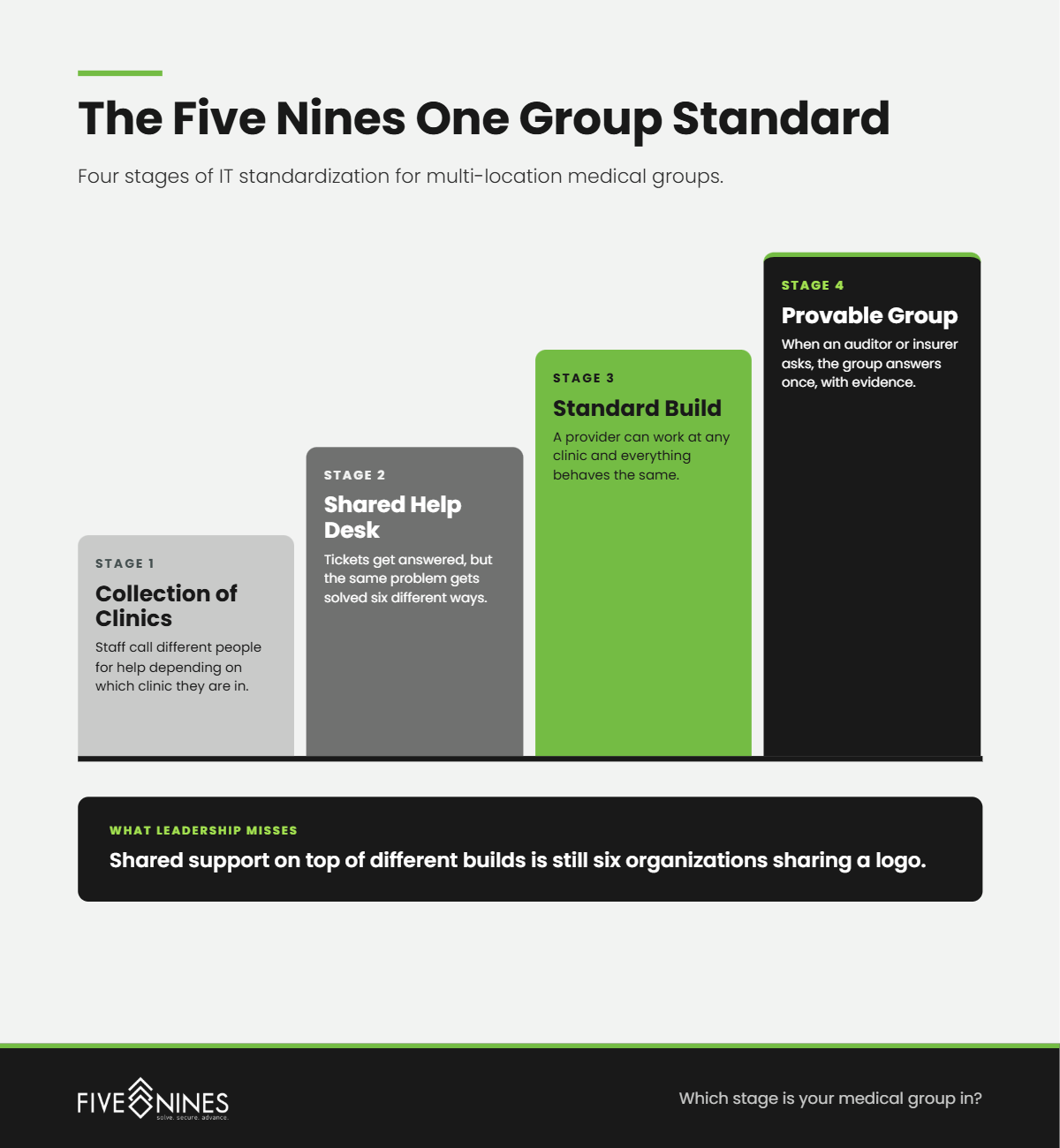
Most groups we talk with sit between Stage 1 and Stage 2. They have consolidated support, so leadership assumes IT is standardized. It is not. Shared support on top of different builds is still six organizations.
Short answer: In multi-location medical groups, Five Nines engineers most often find differences that formed one location at a time: leftover vendor access, shared logins, and backups or networks that were never brought up to the main site's standard. None of them look urgent until an audit, an outage, or a breach exposes them.
Short answer: Ask an IT provider to prove it can run every location as one environment: how it documents each site, what its standard build includes, how it onboards an acquired clinic, and how it reports drift from the standard.
If your help desk solves the same problem differently depending on which location calls, your group is not standardized yet. The Five Nines Multi-Location IT Standardization Assessment shows you exactly where each site stands.
The assessment identifies:
You leave with a site-by-site findings report and a sequenced standardization roadmap.
One group. One standard. Every clinic able to prove it.
.png)
Managed IT services for healthcare work best when one accountable team owns everything between a clinician and the chart: the workstation, the login,...
.png)
Growing healthcare organizations are best supported by an integrated set of managed IT services: a responsive help desk, endpoint and network...
To compare managed IT services for healthcare data security, look past the feature list and ask each provider to prove four things: who watches your...